
For fractional CFOs, COOs, client-advisory firms and coaches
Know which client needs you this week, before they call.
Every client company that invites you, on one screen, ranked by who needs attention, with the reasons stated in plain words. The financial picture and the progress toward their goals in one view, so you decide who to call first instead of digging for it on Monday. Built by a fractional CFO who runs his own clients on it.
Take the free 10-minute advisor courseFree. Five two-minute lessons. No signup to read it.
-
Two clients mid-transaction. Two more running short on cash. Tax season. No single place to look to decide who to call first.
-
Each client's operating picture lives in its own workbook or deck, rebuilt by hand before every monthly call.
-
A client ends the engagement the quarter the numbers improved, because the owner never saw the week-to-week picture you saw.
Built by one of you
I still carry clients. I built this for my own book.
I'm Terry Smith. I have been in the numbers since 1985: staff accountant, controller, then 26 years as a CFO and VP of Corporate Development. A CPA since 1991 and a CITP since 2019, which means I bridge the gap between Finance and Technology. Today I keep the books for more than twenty companies and advise a handful of them as a fractional CFO.
Alinement OS is the operating system I could not find: strategy, priorities with one owner each, a weekly scoreboard, a meeting that ends in decisions, and the money layer, statements and a 13-week cash forecast, next to the operating data instead of two months behind it. Three companies run on it today, with eight of my accounting clients moving onto it.
The advisor workspace, live today
Every client that invites you, on one screen, ranked by who needs you.
Each client company that invites you appears as one card. It shows a health score from zero to one hundred, how much of their goals are getting done and which way that's trending, issues that have sat unresolved for thirty days, and meeting activity. Above the cards sits a ranked list: "Who needs you this week." It sorts your clients by the signals that matter and states its reasons in plain language next to each name.
When you want the story instead of the numbers, one button writes a digest across your portfolio, or a briefing on a single client. Behind every card sits up to twenty-six weeks of history, so you see the trend, not just today. The Monday dig becomes one short read.
In testing now
Run the client's workspace yourself.
The next release lets you create a client's workspace without the client doing anything: the statements, the 13-week forecast, the priorities, and the meeting rhythm inside it, run by you, with the client's people invited as read-only stakeholders. When the client is ready to run it themselves, the workspace becomes theirs and you stay linked at no charge. It is in the plan and it is not live yet; this page will say so the day it is.
Privacy by design
What you see, and what your client sees.
There are two ways to work with a client, and the honest answer to "what will my advisor see?" is different for each. Both are built into how the system works, not written into a policy.
The workspace you run. You create the client's workspace under your plan and do the work in it: the statements, the forecast, the priorities, the meeting rhythm. You see everything in it, because you put it there. The client's people join as read-only observers. They see the company profile, the goals and key results without the weekly progress updates, the strategy, the KPIs that are not financial, the diagnostic scores, and a diagnostic report with the open-ended answers left out. They see their teammates' names and nothing more about them. They do not see the financials, the meeting notes, the decisions, or anyone's check-in, and they cannot change a value or run the AI. This setup is in testing today and is not live for outside advisors yet.
A client that links you from its own subscription. The company runs Alinement OS itself and invites you from its Team page. What reaches you is a health summary: numbers rolled up before you ever see them. Not their books. Not their records. Not any individual's check-in. Nothing about their money reaches you today. A planned set of money signals, bands and flags rather than figures, will reach you only after the client turns them on for you. The client sees who has access on its own Team page, can end the link at any time, and an advisor cannot widen their own access.
You, in a workspace you run
In testing now
- Everything in the workspace
- Statements and the 13-week forecast
- Goals, KPIs, meetings, decisions, check-ins
- The diagnostic, and Ask AI
Your client's people, as observers
In testing now. Read-only.
- Company profile and strategy
- Goals and key results, without progress updates
- KPIs that are not financial
- Diagnostic scores, and the report without open-ended answers
- Teammates' names only
- No financials, meetings, decisions, or check-ins
You, as a linked advisor
Live today
- A health summary: a score, goal progress as a share, issue and meeting counts, team confidence as an average, how many KPIs are off target
- A briefing written from that summary
- No records, no books, no individual check-in
- Money signals only after the client turns them on (planned)
The full table, line by line, lives on the security page at alinement.app.
Tools to run with a client this week
Written to the owner first. Installed by you.
Free to read, print, and use in client work. All of them
The Alinement Brief publishes every Tuesday, and some issues come with a printable one-page tool you can put in front of a client the same week. You hand it over, they recognize their own business in it, and you run it with them the following week. Here they are in the order I install them with a new client.
-
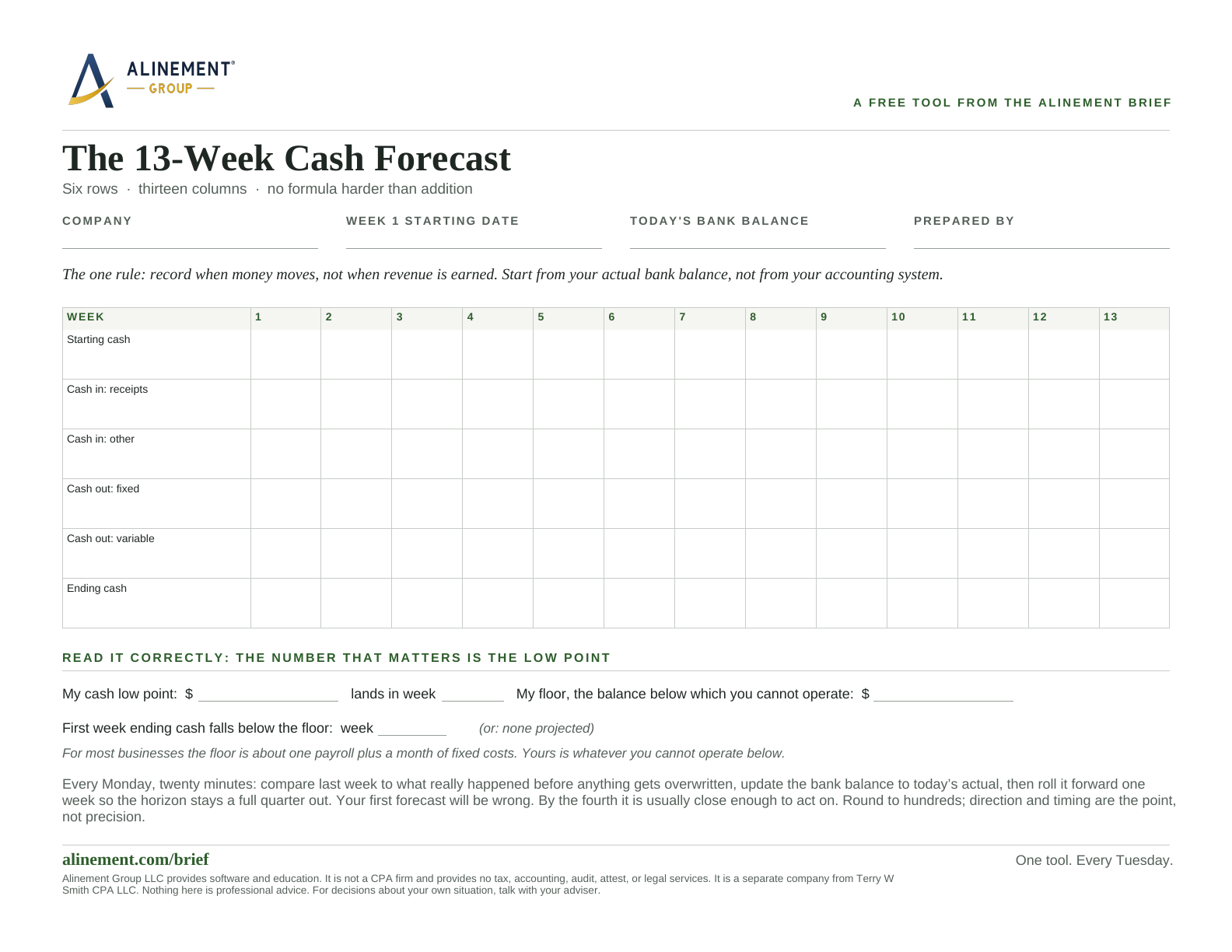 Step 1
The 13-Week Cash Forecast
Six rows, thirteen columns, built from when money actually moves, so you find your cash low point and the week it lands before it finds you.
Read and download -
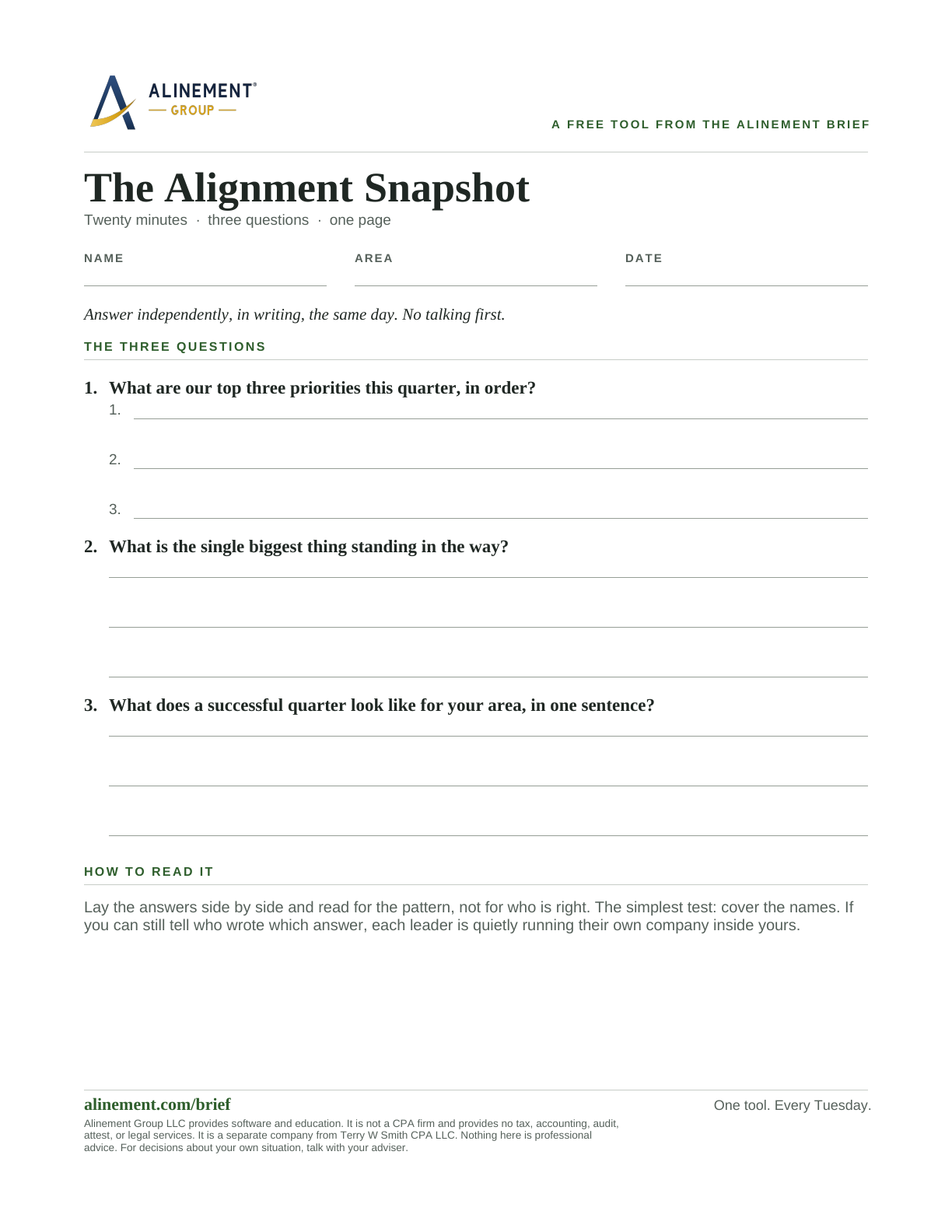 Step 2
The Alignment Snapshot
Three questions, answered independently and in writing, that show what your leadership team actually agrees on.
Read and download -
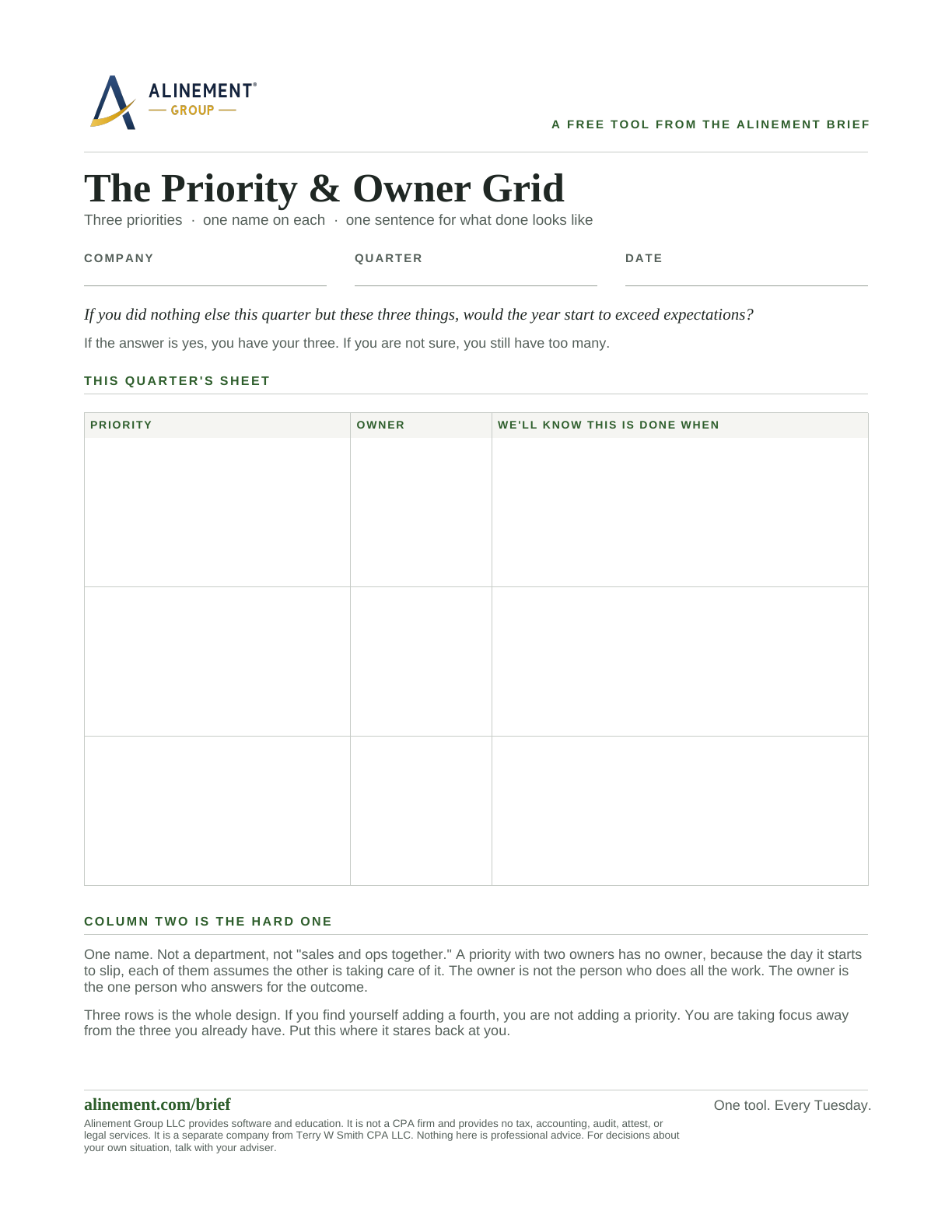 Step 3
The Priority & Owner Grid
Three priorities, one named owner each, and a plain sentence for what done looks like, on a single page.
Read and download -
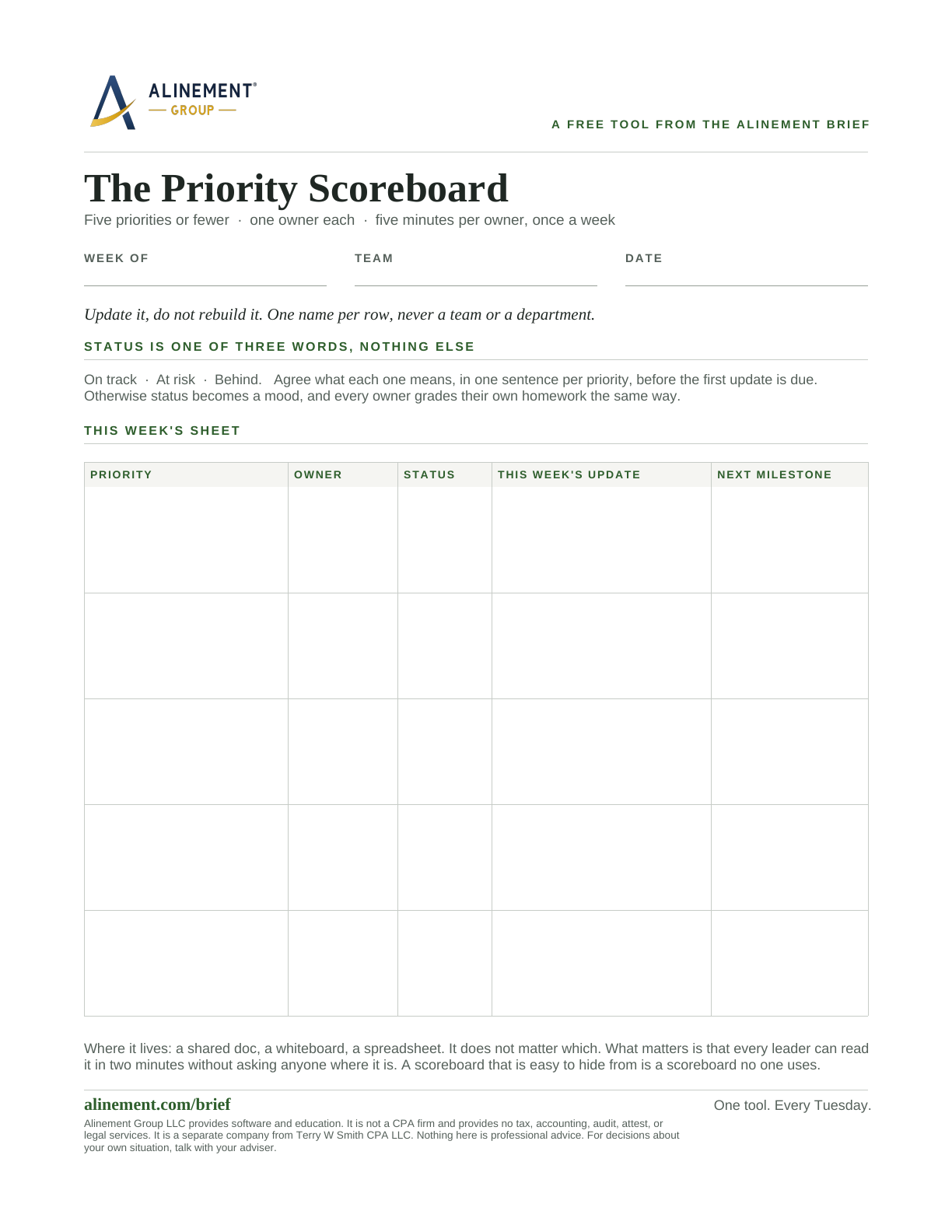 Step 4
The Priority Scoreboard
A five-row tracker that turns a ranked priority list into a name, a status, and a next step anyone can read in two minutes.
Read and download -
 Step 5
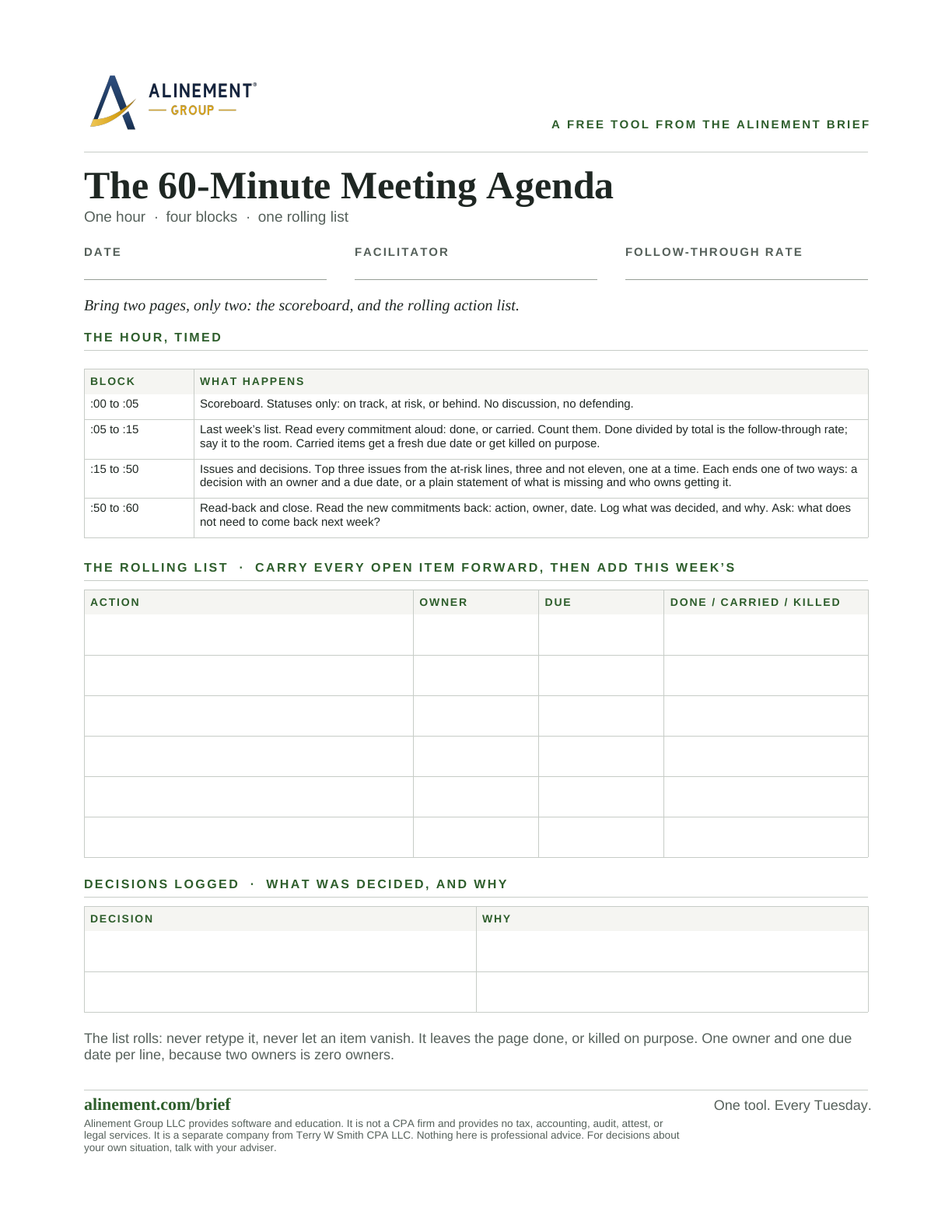
The 60-Minute Meeting Agenda
A fill-in agenda for the weekly leadership meeting: scoreboard, last week's list, issues and decisions, read-back.
Read and download -
 Step 6
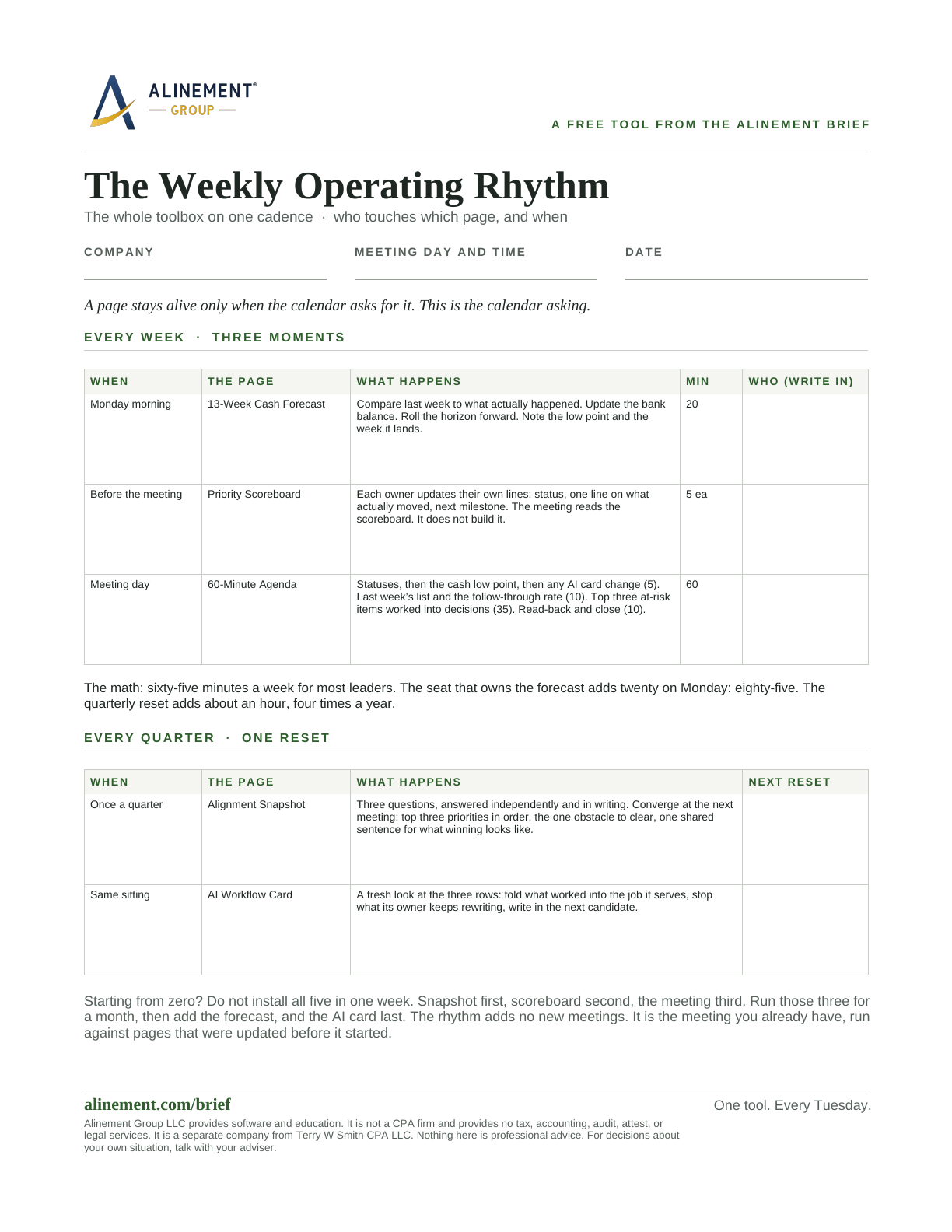
The Weekly Operating Rhythm
The five one-page tools on a single weekly cadence: who touches which page, when, and the honest minute count for the whole rhythm.
Read and download -
 Step 7
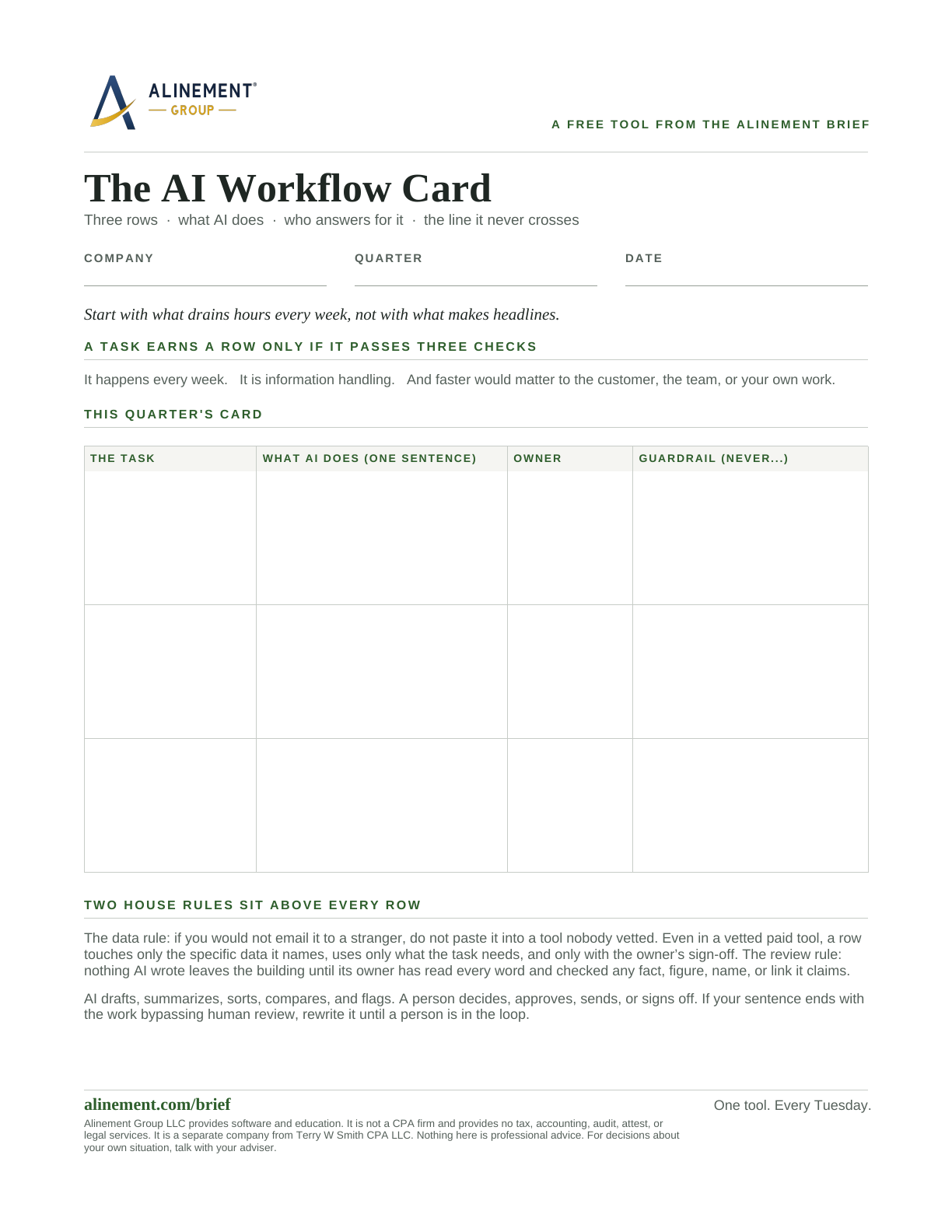
The AI Workflow Card
Three rows for the tasks AI is allowed to touch: what it does there, the one name that answers for the output, and the line it never crosses.
Read and download -
 Step 8
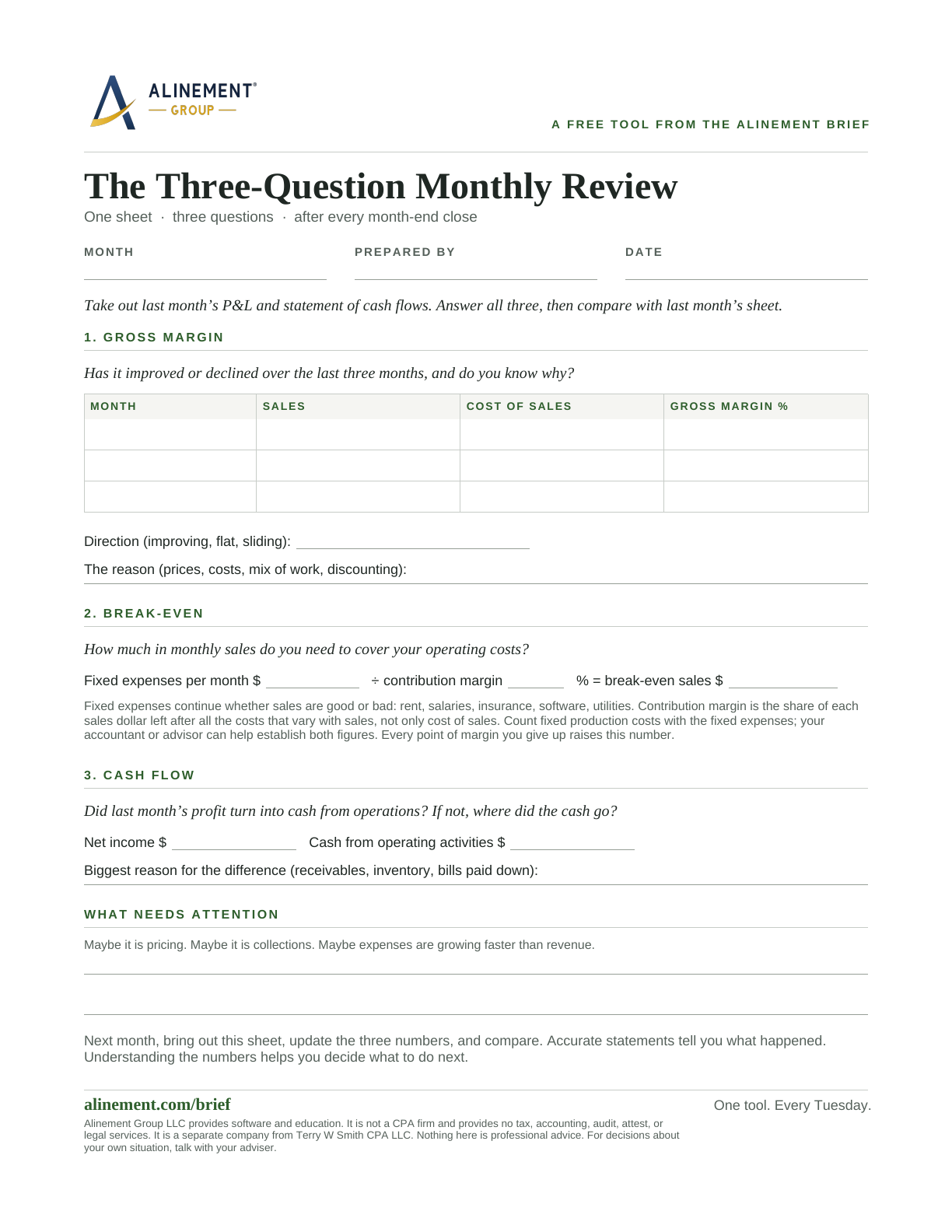
The Three-Question Monthly Review
One sheet of paper after every month-end close: which way gross margin went, the sales it takes to break even, and whether the profit turned into cash.
Read and download
Which client is on your mind?
Pick the one that sounds like this week. Each one opens a free tool and the Brief issues behind it.
A client is profitable on paper and short on cash
Free one-page tool The 13-Week Cash Forecast
Six rows, thirteen columns, built from when money actually moves, so you find your cash low point and the week it lands before it finds you.
Read and download Free one-page tool The Three-Question Monthly Review
One sheet of paper after every month-end close: which way gross margin went, the sales it takes to break even, and whether the profit turned into cash.
Read and downloadThe client's team is busy and the priorities keep drifting
Free one-page tool The Alignment Snapshot
Three questions, answered independently and in writing, that show what your leadership team actually agrees on.
Read and download Free one-page tool The Priority & Owner Grid
Three priorities, one named owner each, and a plain sentence for what done looks like, on a single page.
Read and download Free one-page tool The Priority Scoreboard
A five-row tracker that turns a ranked priority list into a name, a status, and a next step anyone can read in two minutes.
Read and download Free one-page tool The Weekly Operating Rhythm
The five one-page tools on a single weekly cadence: who touches which page, when, and the honest minute count for the whole rhythm.
Read and downloadThe client's weekly meeting is status updates again
Free one-page tool The Priority Scoreboard
A five-row tracker that turns a ranked priority list into a name, a status, and a next step anyone can read in two minutes.
Read and download Free one-page tool The 60-Minute Meeting Agenda
A fill-in agenda for the weekly leadership meeting: scoreboard, last week's list, issues and decisions, read-back.
Read and download Free one-page tool The Weekly Operating Rhythm
The five one-page tools on a single weekly cadence: who touches which page, when, and the honest minute count for the whole rhythm.
Read and downloadThe owner gets the statements and does not read them
AI is in use at a client with no rules written down
A client cannot fill the seat that would free the owner
Twelve founding advisor seats
Twelve advisors help me finish it.
I am opening twelve founding advisor seats for fractional CFOs, COOs, and client-advisory firms who want to run their client book on Alinement OS. Founding advisors lock their plan price for two years, see everything that ships before anyone else, and set up their first three clients with me. The rest is a conversation, and nothing is charged until the advisor agreement is final and the Payment Link opens.
Advisor plans, and what client companies pay for Alinement OS, are listed at alinement.app/pricing.
And to be plain about where we stand: Alinement Group sells software and education to advisors. It does not perform accounting work, and it does not subcontract it.
To ask about a seat, start a conversation with Terry.
Questions advisors ask
Straight answers.
- What happens to my client's data?
- It stays theirs in both setups. When a client links you, you see rolled-up summary numbers and nothing underneath them, and the client can end the link at any time from their Team page. In a workspace you run, you see everything in it because you are doing the work in it, and the day the client buys its own plan the workspace becomes theirs, history intact, and your view drops back to the summary.
- Can I put my own name on it?
- The Powered By plan is co-branded at a defined scope: your logo on the diagnostic report and your name on the emails your clients receive. Nothing beyond that is promised.
- Do my clients need their own subscription?
- A client's team works in the client's own plan, and every company plan lets the company link its advisor at no charge. In a workspace you run for a client (in testing now), their people are read-only stakeholders until the client buys its own plan.
- What if a client leaves?
- A linked client ends the link and it ends the moment they do. Their data stays in their company, not in your workspace. A client in a workspace you run takes it over by buying its own plan, and the history goes with them.
- Is this an EOS tool?
- No. Alinement Group is not licensed by EOS Worldwide and does not use its terms. It works alongside whatever operating framework your client already runs.
- How long does it take to get a client running?
- Founding advisors set up their first three clients with me. How long that takes depends on the state of the books and what the client runs today, so it is the first thing we work out in the conversation.
A question that is not here? Start a conversation with Terry.
Talk it through
Start a conversation with Terry.
I do fractional CFO work myself, and the advisor workspace is built for people who do what I do. Want thirty minutes to talk through whether it fits your practice, or to ask about a founding advisor seat? The form below starts a conversation, not a checkout. Nothing is charged from this page.